

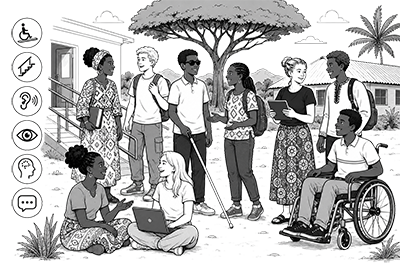
 According to the World Health Organization (WHO), disability is part of being human, and an estimated 1.3 billion people – around 16% of the global population currently experience significant disability. This number is increasing due to population aging and rising rates of chronic health conditions, among other causes.
Disability is highly diverse and represents one of the most significant barriers to education worldwide. It includes a range of issues related to human functioning, such as impairments, activity limitations, and participation restrictions. However, the challenges people face are not solely due to individual impairments; rather, they often arise from environments that are not designed to be accessible. When accessibility is considered, learning can become more inclusive for everyone.
The United Nations (UN) Convention on the Rights of Persons with Disabilities (CRPD) highlights the importance of accessibility and the use of technology to enable full participation. Accessibility is essential for independent living and full participation in society, including access to transportation, communication, information, education, and public services.
Accessibility, therefore, means ensuring that everyone can access and use environments, services, products, and information safely, independently, and equally. In education, this involves removing barriers in both physical and digital materials, as well as in teaching methods and assessments. It is about designing systems, content, and activities in ways that allow everyone to participate and learn on equal terms.
Physical or digital accessibility?
Physical accessibility refers to accessibility in the physical world. It includes the planning, construction, and maintenance of buildings and environments while considering:
- Mobility
- Seeing
- Hearing
- Understanding
- Communication
Examples include ramps, elevators, accessible toilets, clear signage, lighting, and classroom layouts.
Digital accessibility means that everyone can use websites, online services, digital materials, and learning platforms.
It also includes those using assistive technologies such as:
- Screen readers
- Voice control
- Captions
- Keyboard navigation
- Magnification tools
Accessible digital services should allow all users to perceive, understand, navigate, and interact with content effectively.
WCAG and the POUR principles
The Web Content Accessibility Guidelines (WCAG) provide a comprehensive framework for digital accessibility. It is widely adopted as the foundation for most international accessibility regulations, such as the European Union Directive (EU) 2016/2102 on the accessibility of websites and mobile applications.
The WCAG guidelines and success criteria are organized around the four principles (POUR):
- Perceivable: Information can be seen or heard
- Operable: Interfaces can be used and navigated
- Understandable: Content and navigation are clear
- Robust: Content works with different technologies
Accessibility depends on context and is a continuous process
Perfect accessibility is partially a myth because people have diverse needs. For example, website compliance with WCAG does not necessarily mean equal accessibility. Different people have different needs depending on their abilities, environments, devices, and situations. When it comes to learning, some people are hands-on, visual, or auditory learners, which means we have to present information in multiple ways to ensure it is equally accessible.
However, still creating an accessible website means complying with WCAG. Accessibility is essential for some people, but beneficial for everyone. For example, subtitles help people with hearing disabilities, but they are also useful in noisy environments, when watching videos silently, or for language support.
Products, spaces, services, and systems should be designed to reduce as many barriers as possible and focus on abilities throughout the design process. Many different practices and approaches can support a wide range of learners and improve accessibility for everyone. For example, Design for All is an inclusive approach that caters to the needs of all users, whatever their abilities or disabilities. It aims to remove barriers and offer equal access to everyone. Overall, the goal in accessibility is continuous improvement and reducing barriers whenever possible.
Checklist and practices
- Consider both physical accessibility and digital accessibility
- Follow WCAG guidelines and the POUR principles
- Consider different users, abilities, and contexts
- Reduce barriers whenever possible
- Ensure compatibility with assistive technologies
- Design inclusive learning environments
- Remember that accessibility benefits everyone
- Keep improving accessibility continuously
Links and references
- Accessibility Standards Overview (W3C website)
- Convention on the Rights of Persons with Disabilities (CRPD) (UN website)
- Design for All (IxDF website)
- Digital inclusion in Europe (EU website)
- Disability fact sheet (WHO website)
- General information about accessibility (the Finnish Transport and Communications Agency Traficom website)
- Inclusive education (UNICEF website)
- Making the Web Accessible (W3C website)
- Web Content Accessibility Guidelines (WCAG) (W3C website)